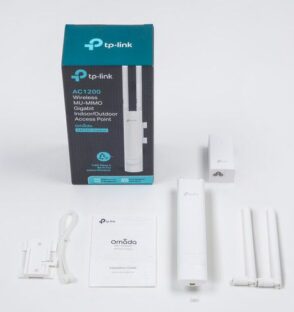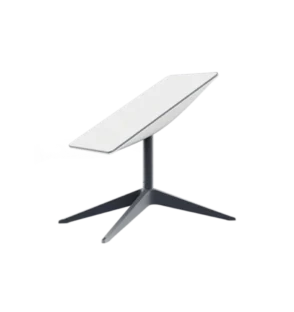


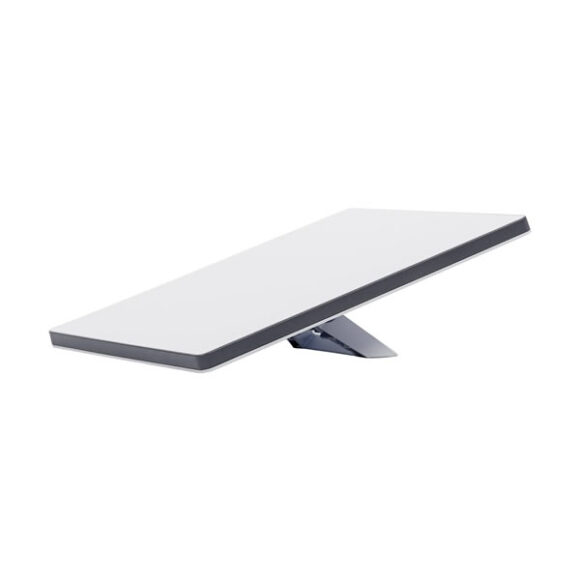
Starlink Mini Satellite Internet Kit Nigeria – Tektins Whether you’re at a remote work site, on a farm, managing a lodge in a rural area or simply tired of slow broadband in Lagos or Abuja, the Starlink Mini satellite internet kit Nigeria brings reliable connectivity right to your location. From Tektins, you get an all-in-one…
Availability: In Stock
Whether you’re at a remote work site, on a farm, managing a lodge in a rural area or simply tired of slow broadband in Lagos or Abuja, the Starlink Mini satellite internet kit Nigeria brings reliable connectivity right to your location. From Tektins, you get an all-in-one kit that offers high-speed internet even when standard ISPs can’t reach you.
The Starlink Mini weighs just around 1.1 kg and its kit fits in a backpack. It boasts an IP67 environmental rating, meaning it can handle dust, rain and wind without complaints. For a country like Nigeria—where weather and terrain vary—this ruggedness is a major plus. You can mount it on a roof, at a campsite or even inside a van and still get steadier speeds.
With the Starlink Mini, you tap into low-latency satellite-based internet. You’ll get download speeds that exceed 100 Mbps in many locations, making it perfect for video calls, live streaming, remote work or even running a lodge’s guest WiFi. Because it uses a self-orienting phased-array antenna, setup is simple, whether in Lagos, in a remote village or on an estate.
It draws around 25-40 W on average, so it works great with solar or inverter systems. Nigerian homes and sites with power instability will appreciate this efficiency. The kit includes a power supply and 15 m cable; it also supports 12-48V input. For remote setups or mobile applications, that flexibility is key.
Farms, hotels or lodges in less-served regions can now offer reliable guest internet.
Construction sites or mobile offices can deploy connectivity quickly without waiting for fibre or cables.
Rural homes or estates in Nigeria’s suburbs and countryside can access broadband where traditional ISPs don’t reach.
Outdoors, events or pop-up venues benefit from rapid setup and portability.
Starlink Mini is a compact, portable kit that can easily fit in a backpack, designed to provide high-speed, low-latency internet on the go.
Starlink offers high-speed internet almost anywhere across the world. Roam allows for travel anywhere in your country and international trips in live Starlink markets.
Starlink connects within minutes and packs up quickly when it’s time to move to your next destination.
1. Download the Starlink App
Download the Starlink App and scan the QR code located on the kit packaging to step through the install process.
2. Find A Clear View of Sky and Check for Obstructions
Your Starlink needs a clear view of the sky so it can stay connected with satellites as they move overhead. Objects that obstruct the connection between your Starlink and the satellite, such as a tree branch, pole, or roof, will cause service interruptions. Use the obstruction tool in the app to ensure you have selected a suitable mounting location. Click here for video guidance on obstructions.
3. Plug in Starlink
The Starlink Mini has an integrated WiFi router, meaning a separate router is not required to get online. Lift the kickstand and plug one end of the provided cable into your Starlink. Ensure the plug is fully inserted such that the plug face is flush with the surface.
Route the other end of the power cable to your power supply and plug it into a power outlet.
4. Connect to WiFi
a. On your device, find and connect to the STARLINK network in your WiFi settings
b. To secure your Starlink WiFi network, use the Starlink App to rename your Starlink WiFi network and create a WiFi password. Open the Starlink App > Settings > Router > enter the desired WiFi network name and password > Save.
This step is optional, but we recommend securing your WiFi network.
5. Align Starlink Your Starlink Kit needs to face the right direction to connect to the maximum number of satellites for the strongest connection. Set up Starlink, ensuring the kit is tilted using the kickstand, or use the provided pipe adapter mount if you have a pipe for installation. Click here for additional guidance on the alignment tool.
At Tektins, we supply genuine Starlink kits. When you invest in the Starlink Mini satellite internet kit Nigeria, you’re getting:
A portable satellite broadband solution that suits Nigeria’s varied terrain and power reality.
Minimal reliance on local ISPs, so you avoid frequent outages or slow speeds.
A future-ready internet kit that works wherever you place it.
Expert advice, locally relevant support and trusted ordering for Nigerian users.
Don’t settle for sub-par internet when you can set up the Starlink Mini satellite internet kit Nigeria with ease. Whether you’re streaming, working remotely, managing guests or just want fast, reliable internet, this kit delivers. From urban rooftop to remote farmland, Tektins ensures you access connectivity without compromise. Choose this solution today and transform your internet experience in Nigeria.